
Every video published without subtitles excludes millions of potential viewers. According to RNID data on UK hearing loss prevalence, over 18 million adults in the UK are deaf, have hearing loss or tinnitus—that’s roughly one in four people who may struggle to follow your content without captions. Yet manual transcription remains prohibitively slow and expensive for most content teams, creating a workflow bottleneck that delays publication and limits output.
Automatic subtitle generation solves this accessibility gap by using AI speech recognition to transcribe audio in minutes rather than hours. The technology analyses your video’s audio track, converts spoken words into time-stamped text, and delivers editable captions ready for customisation. For organisations facing mounting pressure to meet accessibility standards—and content creators seeking to expand their reach across platforms—automated subtitling has shifted from luxury to necessity.
What you need to know about automatic subtitle generation (30 seconds):
- AI-powered tools transcribe video audio in minutes, eliminating the manual work that typically consumes four to six hours per video
- PlayPlay and similar platforms support common formats (MP4, MOV, MKV, MPG) with translation capabilities across more than 100 languages
- Customisation options for font, colour, size, and positioning ensure subtitle styling matches your brand guidelines
- Quality control remains essential—budget 10 to 15 minutes for reviewing and correcting AI-generated captions before export
- Accessibility compliance requires accurate, synchronised captions as outlined in WCAG standards and UK regulations
Why Video Accessibility Unlocks Hidden Audiences
The business case for video subtitles extends far beyond regulatory compliance. RNID research reveals that over 18 million adults across the UK experience some form of hearing loss or tinnitus, whilst nearly 80% of people over 70 face hearing difficulties that affect their ability to follow conversational speech. This demographic reality means that any video published without captions automatically excludes a substantial portion of your potential audience—not through choice, but through oversight.
The accessibility imperative grows more urgent as populations age and digital content consumption patterns evolve. When you add subtitles to video content, you remove barriers for deaf and hard-of-hearing viewers whilst simultaneously improving engagement across all audience segments. Industry research consistently demonstrates that subtitled videos achieve higher completion rates, better retention, and broader reach across social platforms where most users watch content with sound disabled.
Consider a B2B software company producing 12 product tutorial videos monthly for their customer success programme. Manual transcription consumed 60 staff hours each month—the equivalent of 1.5 full-time roles dedicated solely to caption creation. Outsourcing to professional services quoted £600-800 monthly but introduced 5-7 day turnaround delays that disrupted publication schedules. After adopting AI-generated subtitles with 15-minute quality reviews per video, the team reduced caption workflow time to 3 hours monthly whilst maintaining publication velocity. The freed capacity enabled expansion from 12 to 18 videos monthly without additional headcount.
Legal requirements reinforce this practical reality. Under the UK Public Sector Bodies Accessibility Regulations 2018, all video content published after September 2020 must comply with accessibility standards for time-based media. This obligation applies directly to public sector organisations and increasingly influences private sector best practice as the UK’s 13.9 million disabled people expect consistent accessibility across all digital services.
Compliance centres on WCAG 2.2 Success Criterion 1.2.2 for prerecorded captions, which mandates that captions include not only dialogue but also speaker identification and meaningful sound effects. These technical requirements ensure that accessibility solutions serve their intended purpose rather than merely satisfying checkbox compliance.
Beyond compliance, subtitled videos benefit from improved search indexing and broader social media reach. The strategic question has shifted from whether to add subtitles to how quickly your workflow can deliver them without derailing production schedules.
Quantifying the workflow transformation clarifies the business case for automated subtitle adoption. The following comparison evaluates three subtitle creation methods across five decision criteria: time investment, financial cost, transcription accuracy, and customisation flexibility.
| Method | Time per Video | Monthly Cost (10 videos) | Accuracy | Customisation |
|---|---|---|---|---|
| Manual Transcription | Typically 4-6 hours | £400-600 (outsourced) or 40-60 staff hours | 95-98% (human) | Full control |
| AI Auto-Generation | 5-10 minutes | Free-£50/month (platform subscription) | 90-95% (requires review) | Template-based styling |
| Professional Service | 2-3 days turnaround | £800-1,200 | 98%+ (human QA) | Custom specifications |
How AI Speech Recognition Creates Subtitles
Automatic subtitle generation relies on speech recognition algorithms trained to convert spoken audio into written text with time-code synchronisation. The AI analyses your video’s audio waveform, identifies speech patterns, separates words from background noise, and matches phonetic sounds to written language. Modern systems process clear audio with accuracy rates typically reaching 90 to 95%, though performance varies significantly based on recording quality, speaker clarity, accent variation, and technical vocabulary density.
The technology functions as a collaborative assistant rather than a complete replacement for human review. AI excels at time-intensive foundation work—transcribing hours of dialogue in minutes—but struggles with homophones, proper nouns, and technical terminology. Platforms like PlayPlay convert uploaded video files into editable captions within 5 to 10 minutes, enabling content teams to shift effort from mechanical transcription to quality assurance. More than 3,000 companies now use automated subtitle workflows to maintain production velocity whilst meeting accessibility standards.
Translation capabilities extend the efficiency gains beyond single-language subtitling. AI-powered platforms typically support subtitle generation and translation across 100-plus languages, providing international content distribution options that would be prohibitively expensive through traditional translation agencies. The caveat remains consistent: automated translation delivers a strong baseline requiring native-speaker review for cultural nuance and idiomatic accuracy, but eliminates the weeks-long turnaround times that previously constrained global content strategies.
Understanding AI Transcription Accuracy: AI subtitle accuracy varies based on audio quality, speaker clarity, background noise levels, and vocabulary complexity. Clear studio recordings with single speakers typically achieve accuracy above 95%. Multi-speaker conversations, regional accents, and industry jargon reduce accuracy to 85-90%, requiring more intensive review. The practical approach: allow AI to handle the time-intensive transcription foundation (saving four-plus hours per video), then invest 10 to 15 minutes editing for precision and brand alignment.
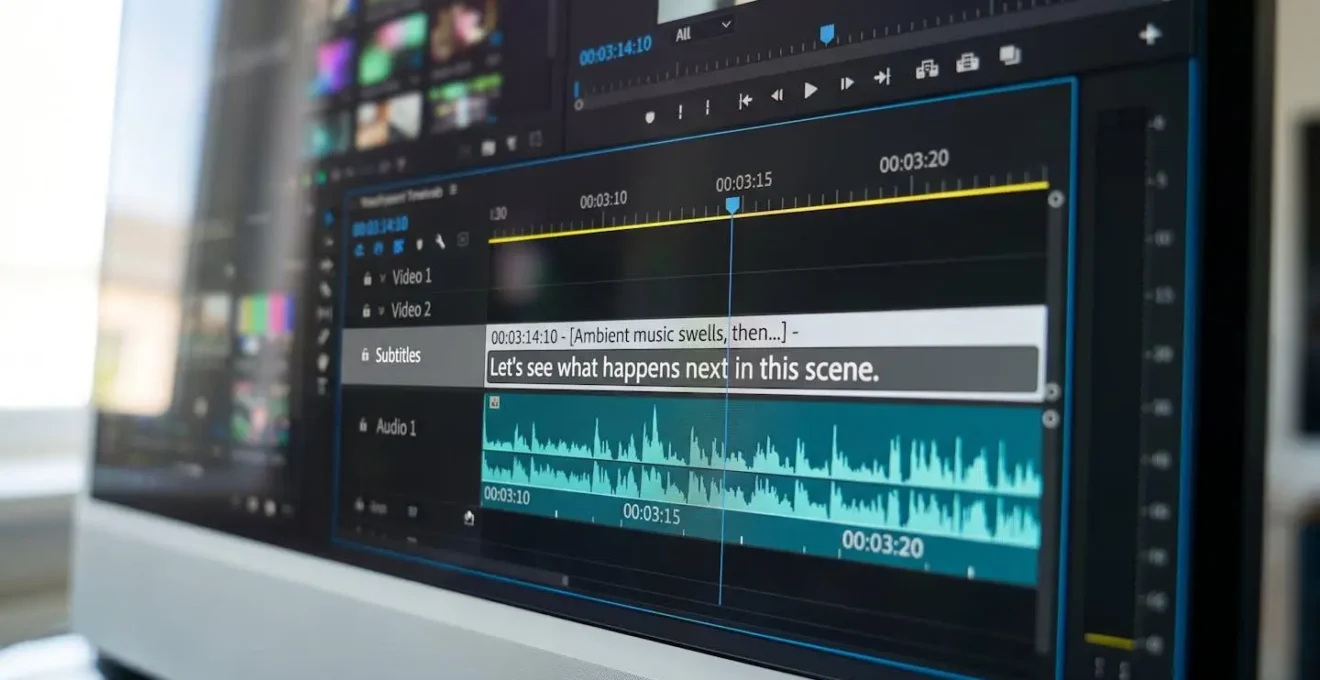
Generate Subtitles in Three Simple Steps
The automated subtitle workflow reduces what previously required hours of manual transcription to a process measured in minutes. Whilst specific platform interfaces vary, the fundamental sequence remains consistent: upload your video file, allow AI processing to generate time-stamped captions, then review and customise the output before export. Understanding each phase helps you anticipate where quality control attention delivers the greatest return on time invested.
Understanding how the technology functions prepares you to implement it effectively. The following workflow breaks down subtitle generation into three sequential phases, each requiring specific actions and quality checkpoints to ensure professional output.
-
Upload Your Video File
Most AI subtitle platforms support standard video formats including MP4, MOV, MKV, and MPG. MP4 offers the widest compatibility across distribution platforms and typically processes most reliably. Upload via drag-and-drop or file browser selection, noting any file size limits specified by your chosen platform. Processing begins automatically once upload completes, with the AI analysing audio content to prepare transcription.
-
Generate and Review AI Subtitles
AI processing typically completes within 5 to 10 minutes for standard-length videos, depending on file size and audio complexity. The platform delivers time-stamped captions synchronised to your video timeline, displayed in an editable interface. Review the generated subtitles whilst playing the video, prioritising corrections for technical terms, brand names, product names, and homophones where context determines correct spelling. Most platforms provide inline editing that updates captions in real-time as you type.
-
Customise and Export
Adjust subtitle appearance to match your brand guidelines, modifying font selection, text size, colour scheme, and screen positioning. Preview changes against your video content to ensure readability across different viewing contexts. Export options typically include embedded captions (burned into the video file) or separate subtitle files in SRT format for platform-specific upload requirements. Embedded captions ensure consistent display but prevent viewer customisation, whilst separate files offer flexibility for multi-platform distribution.
Once you’ve completed the three-step workflow, systematic quality review becomes essential. The following checklist identifies the most common transcription errors that AI-generated subtitles require human correction to detect and resolve.
- Technical terms and industry jargon transcribed correctly
- Homophones verified in context (their vs there, to vs too, your vs you’re)
- Timing gaps between subtitle segments kept under two seconds
- Line breaks positioned at natural speech pauses for comfortable reading rhythm
- No individual subtitle line exceeding 42 characters
The effectiveness of this quality review process depends fundamentally on the audio source material you provide to the AI transcription system.
Audio Quality Matters: AI transcription accuracy depends heavily on source audio clarity. Videos recorded in quiet environments with quality microphones and minimal background noise produce substantially better subtitle output than content captured with ambient sound, multiple overlapping speakers, or low-bitrate audio compression. When planning video production, prioritise clean audio capture to maximise automated subtitle quality and minimise editing time.
Customisation Options That Match Your Brand
Default subtitle styling undermines professional credibility. Generic white text on black backgrounds may serve functional accessibility requirements, but fails to reinforce brand identity or demonstrate attention to visual consistency. The difference between acceptable and exceptional subtitle presentation lies in deliberate customisation choices that align caption appearance with your broader content design standards.
Modern subtitle generation platforms provide granular control over visual presentation: font family selection (matching your brand typography), text size adjustment (optimised for viewing context), colour customisation (maintaining sufficient contrast whilst incorporating brand colours), and positioning flexibility (avoiding conflicts with on-screen graphics or speaker placement). These parameters transform subtitles from accessibility afterthought into integrated design elements that enhance rather than detract from viewing experience.
- Social Media (LinkedIn, Instagram, Facebook)
Bottom-centre positioning, large bold font (20-24pt), high contrast pairing (white text with black background or vice versa), short caption segments limited to four words maximum. Rationale: Muted autoplay dominates social platform behaviour, requiring instant readability on mobile screens without audio context. Oversized text compensates for small viewing devices and scroll-past browsing patterns.
- YouTube and Long-Form Content
Bottom-centre placement, medium font sizing (16-18pt), semi-transparent background overlay, longer caption segments permitted. Rationale: Desktop and tablet viewing contexts allow smaller text whilst maintaining readability. Viewers expect traditional subtitle formatting and possess pause/rewind control for clarity when needed. Semi-transparent backgrounds prevent captions from obscuring important visual content.
- Corporate Training and Webinar Recordings
Lower-third positioning (avoiding speaker’s face), professional serif or sans-serif font matching corporate brand guidelines, brand colour integration with sufficient contrast, complete sentence structures rather than fragmented phrases. Rationale: Desktop viewing environment, professional context expectations, accessibility compliance focus. Audiences expect polished presentation quality aligned with organisational standards.
- Paid Advertising and Promotional Content
Top-third or middle positioning (avoiding bottom-screen call-to-action overlays), bold sans-serif typography, maximum colour contrast for instant comprehension, caption bursts limited to two or three words. Rationale: Compete with platform interface elements and user attention fragmentation. Captions must support rapid message absorption during brief viewing windows before users scroll past sponsored content.

These platform-specific customisation choices address immediate distribution requirements, but consistent application across your video library requires documented standards. Including subtitle specifications—font selection, size, colour values, and positioning—in your brand guidelines ensures systematic implementation regardless of who creates the content or which platform hosts it.
Your Questions About Automatic Subtitles
How accurate are AI-generated subtitles?
Modern AI transcription typically achieves 90 to 95% accuracy when processing clear audio with minimal background noise. Accuracy improves with high-quality recording equipment, scripted content, and single-speaker formats. Technical terminology, strong regional accents, and cross-talk between multiple speakers reduce accuracy and require more intensive manual review.
Can I edit subtitles after AI generation?
Yes. Most AI subtitle platforms include built-in editors for correcting transcription errors, adjusting timing synchronisation, and refining caption text. Changes appear instantly in real-time preview, allowing you to verify corrections against video playback. You can also export subtitles as SRT files for editing in external subtitle editors or video production software if you prefer alternative editing tools.
Do automatic subtitles meet accessibility compliance requirements?
AI-generated subtitles can meet WCAG 2.1 Level AA requirements provided they undergo accuracy review and timing verification. UK regulations mandate that captions include dialogue, speaker identification, and meaningful sound effects—standards that require quality control review, as raw AI output without human verification may not satisfy regulatory requirements.
Which video formats work with automatic subtitle generators?
Most AI subtitle generators support MP4, MOV, MKV, and MPG video formats. MP4 provides the best compatibility across distribution platforms and social media channels. File size limits vary by platform—verify specifications before upload to avoid processing errors. Audio quality affects transcription accuracy more significantly than video format choice, so prioritise clear audio capture regardless of container format selected.
Can I translate subtitles into other languages?
Yes. Leading AI subtitle platforms offer translation across more than 100 languages, enabling international content distribution without multilingual transcription services. AI translation provides a strong baseline but requires native-speaker review for accuracy, especially regarding idiomatic expressions, cultural context, and technical terminology. Budget additional quality assurance time for translated captions—accuracy varies more significantly across languages than single-language transcription, with translation quality dependent on language pair complexity and content subject matter.
How long does subtitle generation take?
AI processing typically completes within 5 to 10 minutes for standard-length videos, with processing time scaling based on video duration and audio complexity. Manual review and editing add 10 to 20 minutes depending on transcription accuracy and customisation requirements. Total workflow time from upload to final export averages 15 to 30 minutes per video—a substantial reduction from the four to six hours required for complete manual transcription.
Moving from awareness to implementation requires deliberate planning and resource allocation. Automated subtitle generation delivers immediate time savings, but maximum benefit depends on systematic integration into your production workflow rather than ad-hoc adoption. The following action plan provides concrete next steps for organisations ready to eliminate subtitle bottlenecks whilst maintaining quality standards.
- Audit your existing video library to identify content requiring subtitle retrofitting for accessibility compliance
- Test automatic subtitle generation with three representative videos to establish quality control workflow timing
- Allocate team resources for subtitle review workflows rather than full manual transcription
The shift from optional enhancement to accessibility imperative has made subtitle generation non-negotiable in professional video production. Automated AI transcription replaces days of manual work with minutes of processing and focused quality control, transforming the question from whether to implement automated subtitling to how quickly you can integrate it into standard workflows.