
Finding your home address publicly listed online isn’t just a privacy violation; it’s a symptom of a massive, unregulated data broker industry.
- Data brokers build detailed profiles on you by purchasing and scraping data from “free” apps, social media, and breached company records.
- Simply “opting out” is a temporary fix, as your data is constantly re-acquired and re-sold in a persistent loop.
Recommendation: To truly protect yourself, you must shift from reactive cleanups to proactively disrupting this data supply chain at its source by securing your digital accounts and controlling what you share.
There are few things as unsettling as Googling your name and seeing your home address pop up on a “people-finder” website you’ve never heard of. That feeling of dread and violation is immediate. How did they get it? Who are they selling it to? This isn’t an accident or a glitch; it’s the core business model of the data broker industry. These shadowy companies build extensive profiles on millions of individuals, packaging and selling everything from your location history to your contact information, often without your knowledge or consent.
The standard advice is to painstakingly visit each broker site and navigate their confusing “opt-out” process. While necessary, this is like mopping the floor while a pipe is still leaking. The real problem is the constant, automated flow of your personal information—your “digital exhaust”—that feeds these brokers. This is the data supply chain, and it’s fueled every time you use a “free” app, overshare on social media, or have your data exposed in a corporate breach, a risk that multiplies when you travel.
But what if the key wasn’t just playing an endless game of whack-a-mole with opt-out forms? What if you could turn off the tap? This guide will change your perspective. We won’t just show you how to clean up the mess; we’ll give you a strategic framework for digital self-defense. By understanding and disrupting the data supply chain at its source, you can stop your personal information from reaching these brokers in the first place and begin to reclaim your privacy for good.
In this article, we will dissect the tactics used to harvest your data and provide actionable strategies to protect yourself. We’ll explore everything from the hidden dangers of travel apps to the sophisticated scams they enable, giving you the tools to build a robust defense.
Summary: How to Remove Your Personal Address From Data Broker Sites?
- Why “Free” Apps Are Actually Selling Your Location History?
- How to Transition to a Password Manager Without Getting Locked Out?
- SMS or App Authenticator: Why Text Message Codes Are Not Safe?
- The “Urgent Request” Email Trick That Fools Even Tech-Savvy Users
- When to Conduct a Social Media Privacy Audit?
- The Airbnb Scam That Targets Weekend Travelers in Major US Cities
- The “Only 1 Room Left” Tactic: Real Scarcity or Marketing Trick?
- How to Save 30% on Last-Minute US Hotels Using AI-Driven Apps?
Why “Free” Apps Are Actually Selling Your Location History?
The adage “if you’re not paying for the product, you are the product” has never been more true than with free mobile apps, especially those related to travel. Weather apps, flight trackers, and local guides offer convenience at a steep, hidden cost: your personal data. Many of these applications are designed to be the primary collection points for the data supply chain. They bundle your location history, app usage patterns, and unique device identifiers and sell this package to data brokers for profit.
These brokers then aggregate this information with data from other sources to create a disturbingly detailed profile of your life. They know where you live, where you work, where you vacation, and what routes you take. This isn’t just about targeted advertising; it’s about creating a marketable asset that can be sold to anyone from insurance companies to individuals performing a background check. The massive Marriott data breach, which exposed the information of 500 million guests, demonstrates how travel-related data is a prime target for cybercriminals who use it to craft convincing scams years after the initial breach.
The first step in disrupting this supply chain is to perform a strict audit of your phone. Scrutinize every app, especially “free” ones. Ask yourself: does this flashlight app *really* need to know my location? Limiting this data flow is a foundational act of digital footprint hygiene. You have direct control over this, and exercising it is critical.
Steps to Limit Location Data Collection by Apps:
- On iPhone: Open Settings > Privacy & Security > Location Services. Go through each app and set location access to ‘While Using the App’ or ‘Never’. For travel-related apps, be especially strict. Also, consider turning off ‘Share My Location’ under Find My to prevent your exact whereabouts from being broadcast.
- On Android: Open Settings > Location > App permissions. Review each app and change its access to ‘Allow only while using the app’ or ‘Don’t allow’.
By taking these simple yet powerful steps, you begin to starve data brokers of their most valuable asset: a constant, real-time stream of your movements and habits.
How to Transition to a Password Manager Without Getting Locked Out?
Every online account is a potential point of failure in your digital defense. Weak, reused passwords are the open front doors that allow hackers to walk in, steal your data, and sell it to the data broker ecosystem. A password manager is not just a convenience; it’s a non-negotiable tool for source disruption. By generating strong, unique passwords for every single site, you compartmentalize risk. If one site is breached, the damage is contained and doesn’t cascade to your other accounts.
The fear of transitioning to a password manager often revolves around a single point of failure: what if I get locked out of the manager itself, especially while traveling? This is a valid concern, but modern password managers have robust contingency plans. The key is to set them up *before* you need them. This involves enabling cloud backup, setting up emergency access for a trusted contact, and storing recovery codes in a secure, separate location—never on the same device as your password manager.
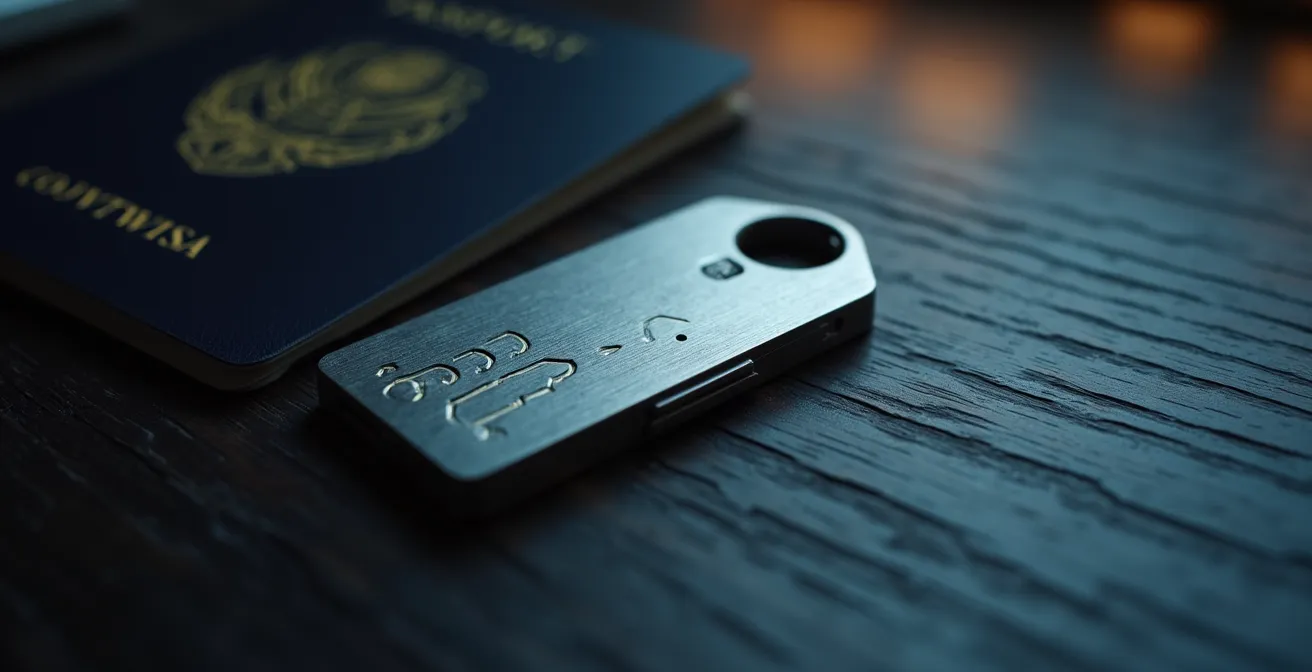
Beyond passwords, the method of two-factor authentication (2FA) you choose is equally critical. As we’ll see, not all 2FA is created equal. A password manager combined with a strong authentication method creates a formidable barrier, making your accounts vastly less attractive targets for the data harvesting that feeds brokers.
The following table, based on guidance from security experts, breaks down the hierarchy of common authentication methods. As an analysis from the University of Miami’s IT department shows, relying on SMS while traveling is a particularly poor choice.
| Method | Security Level | Travel Suitability | Risk Factors |
|---|---|---|---|
| SMS/Text | Basic | Poor – Unreliable roaming | SIM swapping, interception |
| Authenticator App | Good | Essential – Works offline | Device loss only |
| Hardware Key | Ultimate | Excellent – Physical token | Physical loss only |
Think of it as building a digital fortress. A password manager builds the walls, and your chosen authentication method guards the gate.
SMS or App Authenticator: Why Text Message Codes Are Not Safe?
For years, receiving a verification code via text message (SMS) was promoted as a smart security step. Today, it’s considered one of the weakest forms of two-factor authentication (2FA) and a significant vulnerability for any privacy-conscious individual, especially travelers. The primary danger lies in a devastatingly effective attack called SIM swapping. This is where a criminal, armed with your personal information, convinces your mobile carrier to transfer your phone number to a new SIM card they control.
Once they have your number, they control your digital identity. They can initiate password resets for your email, bank, and social media accounts, receiving the SMS verification codes on their device. In minutes, you are locked out of your own life. But how do they get enough personal information to impersonate you so convincingly? They buy it from data brokers. These brokers compile detailed profiles, which can include answers to security questions, previous addresses, and family members’ names—everything an attacker needs to pass a carrier’s identity check.
This is a direct and terrifying link between the data you leak and real-world harm. While a company like Marriott’s privacy policy may list collecting over 60+ categories of personal data, it’s the aggregation of this with other sources that makes it so dangerous. It’s a clear example of how a vulnerability that data brokers actively enable can be used to facilitate identity theft and SIM swapping attacks. The solution is to move away from SMS for 2FA entirely.
Instead, use an authenticator app (like Google Authenticator, Authy, or Microsoft Authenticator). These apps generate time-sensitive codes directly on your device and are not tied to your phone number. They work offline, making them perfect for travel, and are immune to SIM swapping. The only risk is the physical loss of the device, which can be mitigated with backups. For ultimate security, a physical hardware key (like a YubiKey) offers the strongest protection, as it requires a physical token to be present.
By abandoning SMS-based 2FA, you sever a critical link in the chain that attackers use, making it dramatically harder for them to weaponize the data that brokers have collected on you.
The “Urgent Request” Email Trick That Fools Even Tech-Savvy Users
Phishing emails are evolving. Gone are the days of obvious scams from Nigerian princes. Today’s attacks are sophisticated, personalized, and designed to exploit a powerful human emotion: urgency. For travelers, this often takes the form of an “urgent request” email that appears to be from your airline or hotel. It might claim there’s a problem with your booking, a payment has failed, or your flight has been canceled, urging you to “click here to resolve the issue immediately.”
These emails are so effective because they are context-aware. Scammers know you’re traveling, and they leverage that stress and distraction. The links lead to convincing-looking fake login pages designed to harvest your credentials. Once they have access to your airline or hotel account, they can access your personal information, future travel plans, and payment details—more valuable data to use or sell. This is a direct assault, using social engineering to trick you into handing over the keys to your data fortress.

Even the most tech-savvy users can fall for these tricks in a moment of panic. That’s why the only effective defense is a rigid, zero-trust policy. Never click links in unexpected or urgent emails, no matter how legitimate they seem. Instead, always perform channel verification. If you receive an alarming email from your airline, do not interact with it. Close the email, open the official airline app on your phone, or manually type the airline’s official website into your browser and log in there. If the notification is real, it will be waiting for you in your official account portal.
The risk of physical device theft while traveling is also a significant threat, making it even more crucial that your accounts are locked down and not easily accessible through a single phishing link. Your primary defense is skepticism. Treat every unsolicited “urgent” request as a potential attack.
This simple, disciplined habit renders the vast majority of travel-related phishing attacks completely harmless.
When to Conduct a Social Media Privacy Audit?
Social media platforms are not just a way to connect with friends; they are a firehose of free, high-quality data for brokers. Every “public” post, photo tag, check-in, and friend list is a breadcrumb. When aggregated, these breadcrumbs paint a detailed picture of your life, habits, and social network—a picture that brokers are eager to sell. Sharing your vacation photos in real-time is equivalent to putting up a sign that says, “My house is currently empty.”
While it’s tempting to share your travel experiences as they happen, this information is a goldmine for criminals and a key source for the data supply chain. Scammers can use your travel dates to time burglary attempts, and data brokers scrape your public profiles to enrich the dossiers they sell. Many social platforms have privacy settings that can help prevent this, but they are often complex and not enabled by default. As privacy tool provider McAfee notes, a tool can often adjust over 100 different settings across your accounts to lock them down, highlighting the complexity involved.
The most critical time to conduct a social media privacy audit is one week before you travel. This is a proactive act of digital footprint hygiene. The goal is to shut down the flow of information before you are in a vulnerable position. This pre-travel lockdown should be a standard part of your departure checklist, just like packing your suitcase.
Pre-Travel Social Media Lockdown Checklist:
- Privatize Accounts: Set all your social media profiles (Facebook, Instagram, etc.) to “Private” or “Friends Only.”
- Review Tagging Permissions: Restrict who can tag you in photos and posts to prevent your location from being revealed by others.
- Hide Friend Lists: Your social graph is valuable data. Make your friend list visible only to you.
- Scrub Past Posts: Delete or hide any old posts that reveal sensitive information, especially your upcoming travel dates or destination.
- Revoke App Permissions: Go into your settings and remove access for any third-party quizzes or games you no longer use.
- Turn Off Location Services: Ensure all social media apps do not have permission to access your phone’s location.
By tightening your social media privacy, you cut off a major, voluntary source of data for brokers, making your profile significantly less valuable and your real-world self significantly more secure.
The Airbnb Scam That Targets Weekend Travelers in Major US Cities
The explosion of the sharing economy, particularly with vacation rentals like Airbnb and VRBO, has created new opportunities for travelers—and for scammers. One common scam involves “ghost listings,” where a fraudster posts photos of a beautiful property they don’t own. They accept your booking and payment, only for you to arrive at the address and find a different family living there, or that the property doesn’t exist at all. By then, the scammer and your money are long gone.
This scam is enabled by the very ecosystem this article is about. Scammers can use data broker services to create fake host profiles that seem legitimate, complete with names and location details that appear credible. They prey on the trust that booking platforms are designed to create. The sheer scale of the data broker problem is staggering; by some estimates, there are around 1,000 data brokers operating in the U.S. alone, all collecting and selling the data that can be used to build these fake identities.
Protecting yourself requires a shift in mindset from a trusting consumer to a cautious investigator. You must assume a listing could be fake and work backward to verify its legitimacy. This “counter-intelligence” approach involves cross-referencing information across multiple sources to confirm the property and the host are real.
Counter-Intelligence Checklist for Vacation Rentals:
- Reverse Image Search: Download the property photos and use Google Images to search for them. If they appear in stock photo collections or on other unrelated real estate sites, it’s a major red flag.
- Map the Address: Use Google Maps and Street View to verify the property’s exterior matches the listing photos.
- Verify the Host: Search for the host’s name online. A legitimate host often has some form of public or professional profile (like LinkedIn) that isn’t brand new.
- Check for Duplicates: Search for the property on multiple booking platforms. Inconsistencies in pricing or availability can indicate a scam.
- Request a Video Call: Ask the host for a brief live video tour of the property. A scammer with a fake listing will make excuses.
- Use Secure Payments: Never agree to pay outside of the platform’s official payment system. Using the official system provides a layer of buyer protection.
By applying this healthy skepticism and performing due diligence, you can confidently book your stay, knowing you haven’t fallen victim to a scam built on stolen data and fake identities.
Key Takeaways
- Your personal data is constantly being collected and sold by a vast network of data brokers, creating a persistent privacy risk.
- Reactive “opt-out” requests are a temporary fix; the only lasting solution is to proactively cut off the supply of new data at its source.
- Securing your digital life involves a mindset shift: adopt strong passwords, use app-based 2FA, conduct regular privacy audits, and verify information independently.
The “Only 1 Room Left” Tactic: Real Scarcity or Marketing Trick?
You’ve likely seen it on a hotel booking site: a flashing red banner warns, “Only 1 room left at this price!” or “23 other people are viewing this property.” These messages trigger a sense of urgency and FOMO (Fear Of Missing Out), pressuring you to book quickly before the deal disappears. While sometimes these claims reflect genuine availability, they are often calculated psychological tactics known as dark patterns. These are user interface designs meant to trick or manipulate you into making decisions you otherwise wouldn’t.
Booking sites use the data they have on you—your search history, your location, and your previous behavior—to deploy these tactics with maximum effect. The “scarcity” you’re seeing might be entirely artificial, designed to stop you from comparison shopping. The “price increase” warning could simply be a response to you searching for the same dates multiple times, signaling high intent. This is a clear example of your own digital footprint being weaponized against you in real-time for commercial gain.
Fighting back against this requires understanding the game and using technology to your advantage. Clearing your browser cookies, using incognito or private browsing mode, and connecting through a VPN can often reset these manipulative trackers and show you a more “neutral” price. As a comparative analysis of these tactics reveals, what you see is often not reality. Your best defense is to ignore the pressure and trust your own research process.
| What You See | Reality | Counter-Tactic |
|---|---|---|
| Only 1 room left! | Multiple sites share same inventory | Clear cookies, use VPN |
| Prices increasing | Based on your search history | Use incognito mode |
| X people viewing | Often fabricated numbers | Ignore pressure tactics |
| Special price for you | Profile-based discrimination | Compare from different devices |
The ultimate goal is to make decisions based on value and suitability, not on manufactured panic. When you see these high-pressure tactics, take it as a signal to slow down, open a new browser, and verify the information for yourself.
How to Save 30% on Last-Minute US Hotels Using AI-Driven Apps?
In the digital arms race for your data, new AI-driven travel apps can be both a powerful ally and a potential risk. These apps use machine learning to scan thousands of hotel prices in real-time, identifying undervalued rooms and last-minute deals that can lead to significant savings. They can be incredibly effective, but they are also another potential entry point into the data supply chain if used carelessly. To leverage their power without compromising your privacy, you must engage in what’s known as defensive anonymity.
This means using these tools strategically and with a protective layer. Instead of signing up with your primary email, use a masked email service that forwards to your inbox without revealing your real address. Deny all unnecessary app permissions, especially contacts and background location tracking. Use the app for the specific purpose of booking, and then delete it and its associated data once your trip is complete. This “hit-and-run” approach allows you to benefit from the technology without creating a permanent new node in your digital footprint for brokers to exploit.
This proactive hygiene is far more effective than reactive cleanup. Manually removing your data from the hundreds of brokers is a Herculean task. One study from the privacy service Incogni suggests it would take more than 304 hours for the average person to manually send opt-out requests to all the brokers who hold their data. This underscores the futility of the “whack-a-mole” approach and the critical importance of preventing your data from getting into the re-acquisition loop in the first place.
Your Action Plan: Safe Usage Framework for AI Travel Apps
- Sign Up with a Masked Email: Use a service like SimpleLogin or Fastmail to create a unique alias for each travel app. If the alias gets spam, you know who sold your data.
- Limit Usage Window: Install and use AI deal-finding apps only during the specific period you’re looking to book (e.g., the week before your trip).
- Practice “Just-in-Time” Permissions: Deny all permissions by default. Only grant a permission (like location) at the exact moment it’s needed for a search, then revoke it immediately after.
- Delete and Erase Post-Trip: After your trip is complete, delete the app and use your phone’s settings to remove any associated data.
- Leverage a VPN: Use a VPN to change your virtual location when searching. Prices can vary significantly based on the geographic point of sale.
Adopting this strategic framework is the final piece of the puzzle. It empowers you to use powerful modern tools on your own terms, extracting their benefits while fiercely guarding your personal information and staying one step ahead of the data brokers.